 PQStat
 Correlation matrices
When to use:
When we are interested in the correlation between many variables at once, a convenient way to visualise it is to present the correlation coefficients for all pairs of variables in a single table (matrix). Instead of repeating the same analysis for every pair of variables in turn, we get an immediate, complete picture of the relationships within the dataset being studied. Depending on the scale on which the data were collected, PQStat lets you choose one of the following coefficients:
- r-Pearson (interval scale)
- r-Spearman (ordinal scale or stronger)
- tau-Kendall (ordinal scale or stronger)
- C-Pearson (nominal scale or stronger)
- V-Cramer (nominal scale or stronger)
- Phi (nominal scale or stronger)
- Q-Yule (nominal scale or stronger)
The analysis produces two matrices: a matrix of correlation coefficients and a matrix of \(p\) values for the test checking the statistical significance of each of these coefficients (for r-Pearson, r-Spearman and tau-Kendall these are their dedicated tests, and for the nominal scale it is the chi-square test). At the intersection of two variables in the coefficient matrix is the value of their mutual correlation, and the corresponding \(p\) value is found in the same place in the second matrix. The colour of a cell in the coefficient matrix is graded from blue (negative coefficients) to red (positive coefficients), which lets you immediately spot the strongest relationships at a glance.
How to set up the analysis
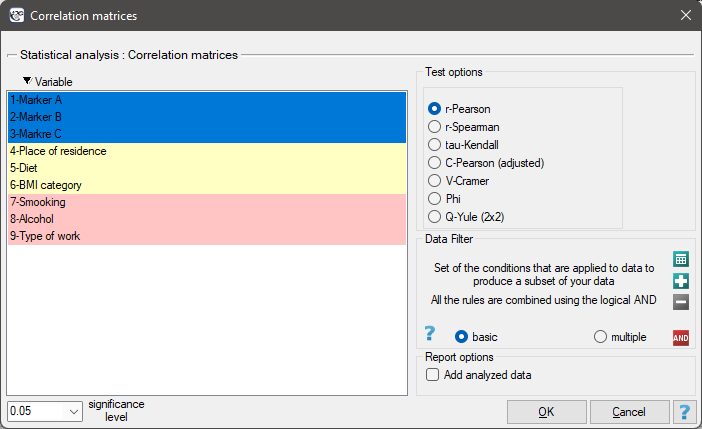
The window with correlation matrix settings is opened via Statistics\(\to\)Calculators\(\to\)Correlation matrices.
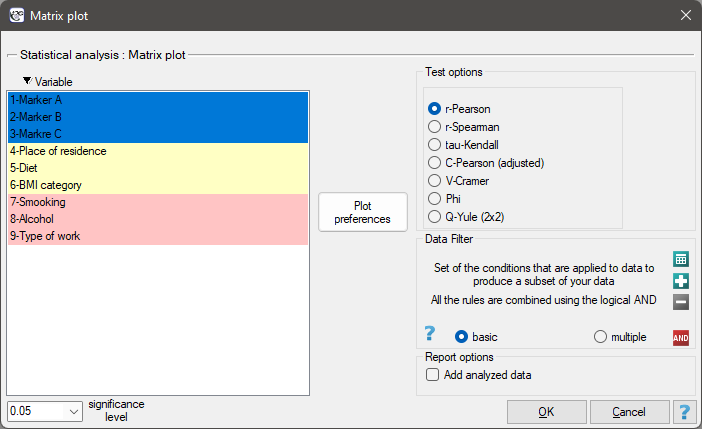
The window with the settings for the matrix plot of the correlation matrix is opened via Plots\(\to\)Matrix plot.
Performing and interpreting the analysis
Example 1. (markers others.pqs file)
An excerpt from a larger study on cancer is presented. The data collected concern a group of 100 people. The study measured, among other things, the values of tumour markers (interval scale), determined BMI categories for the patients, and asked for opinions on the possible influence of place of residence and diet on health (ordinal scale); it also recorded the patients' answers about smoking, alcohol consumption and the type of work performed (nominal scale).
Conducting multivariate analyses often requires first checking the mutual correlations between the variables. For the purposes of the further analysis:
(1) we will check the correlation within each of these groups,
(2) we will check the correlation between all the variables.
(1) Correlation within the individual groups of variables
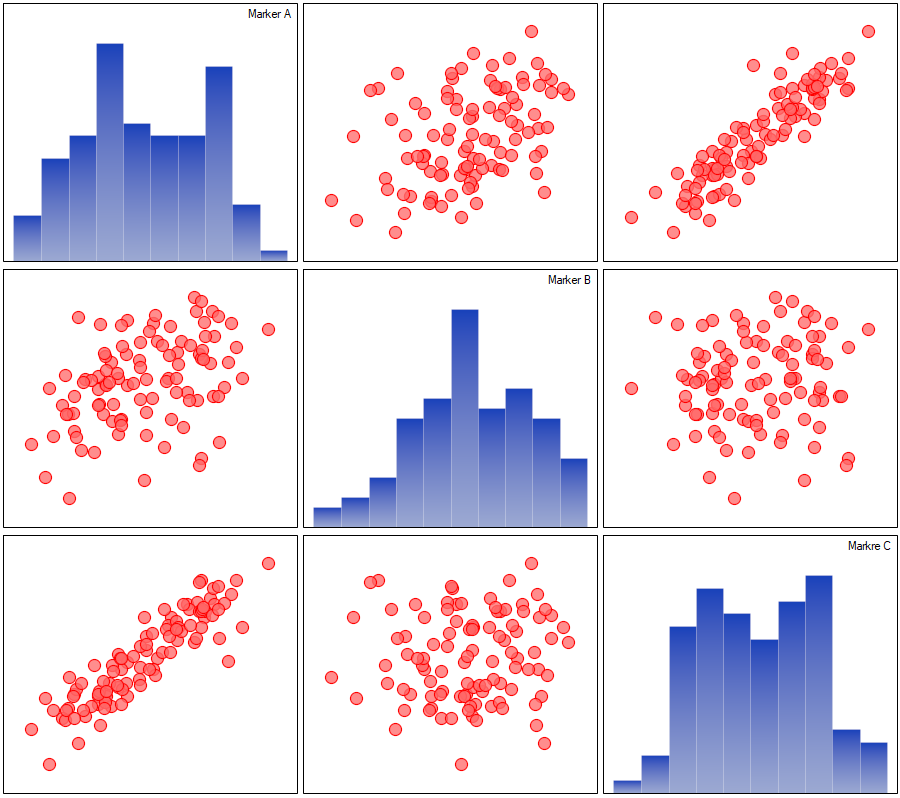
For the interval scale, assuming normality of the distribution, we will check the correlation using Pearson's linear correlation coefficient.
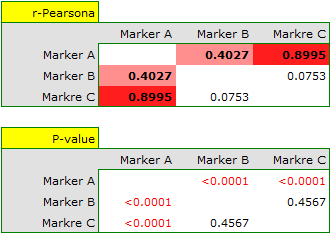
The correlations described can be observed on scatter plots (the X axis of these plots is the variable described in the columns, the Y axis – in the rows), and the distributions of the individual variables – on column charts.
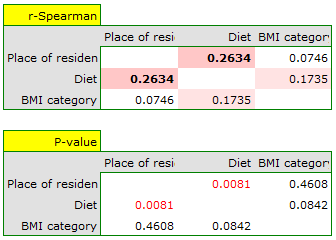
For the ordinal scale we will check the correlation using the Spearman correlation coefficient.
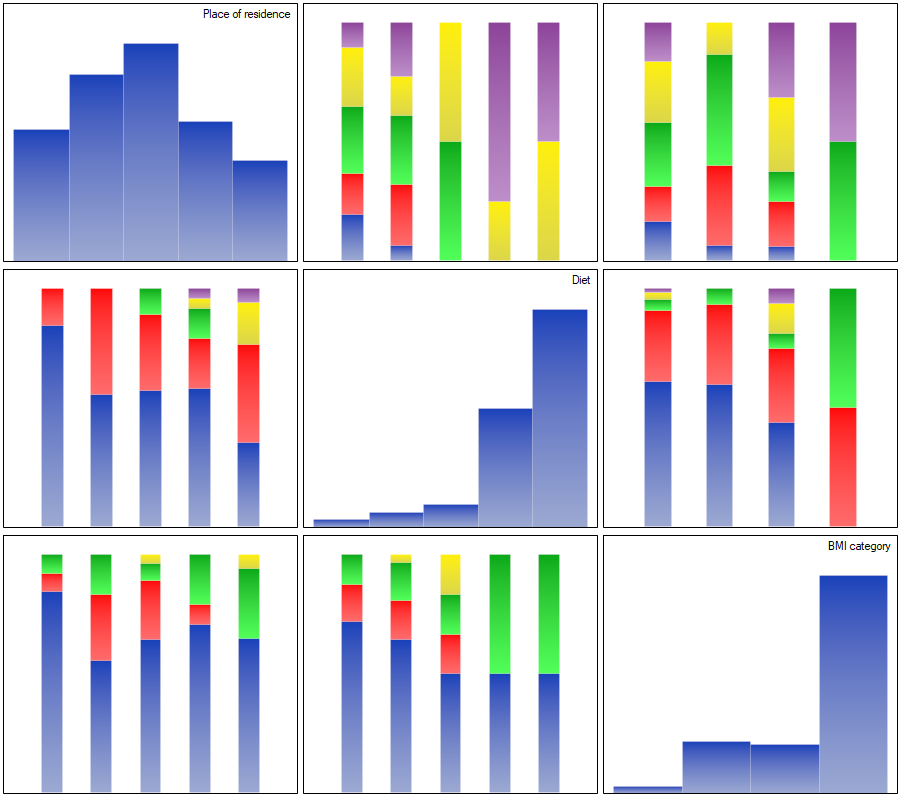
The correlations described can be observed on stacked column charts (the X axis of these plots is the variable described in the columns, the legend is the variable described in the rows), and the distributions of the individual variables – on the column charts located on the main diagonal.
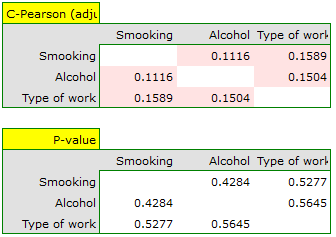
For the nominal scale we will check the correlation using the C-Pearson coefficient corrected for table size. We did not obtain any statistically significant correlations in this group of variables.
Any correlations could be observed on stacked column charts (the X axis of these plots is the variable described in the columns, the legend is the variable described in the rows), and the distributions of the individual variables – on the column charts located on the main diagonal.
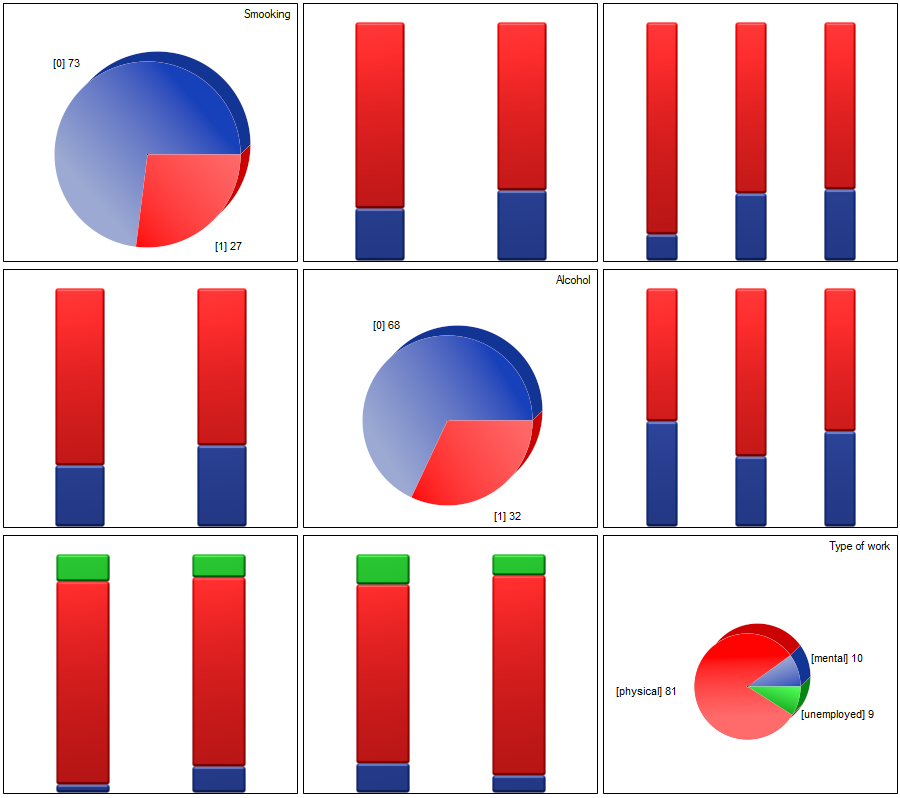
(2) Correlation between all the variables
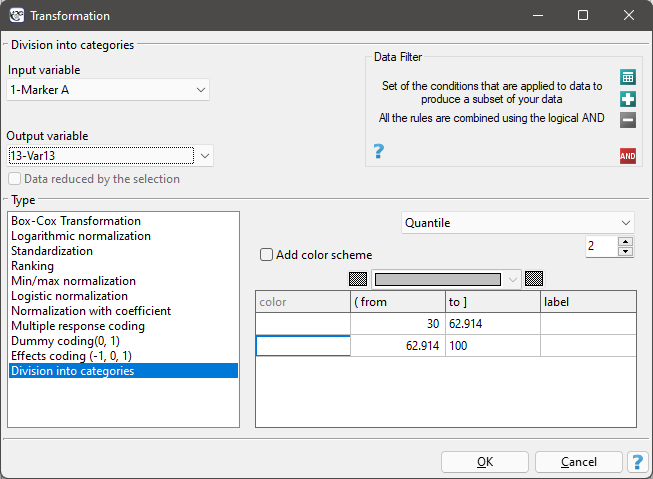
The easiest way to determine the correlation between variables measured on different scales is to bring them to the same scale. To do this, we will recode the interval data by dividing it into two categories – "low" and "high" – e.g. by quantiles. We can do this automatically in the transformation window via the menu Data\(\to\)Transform.
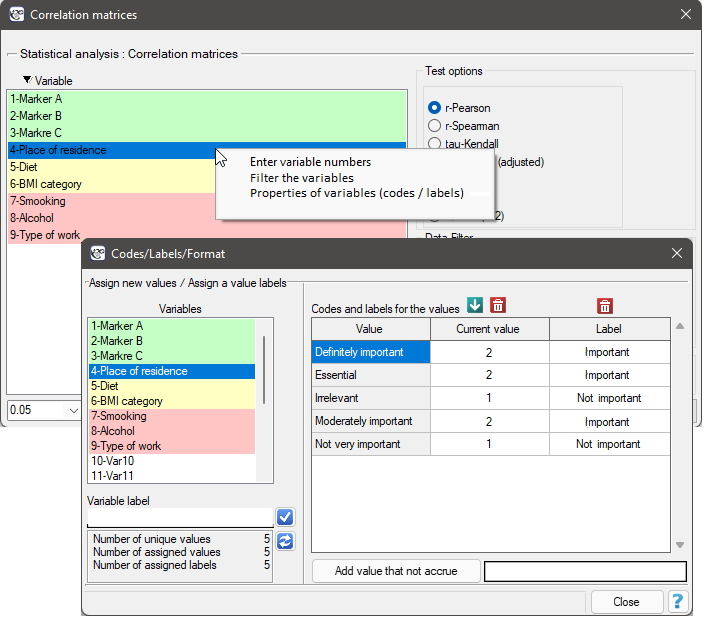
The ordinal data will also be divided into two categories, but this division will be made by selecting Variable Properties (Codes/Labels) in the analysis window via the context menu (right mouse button) and entering only the two valid values and two labels.
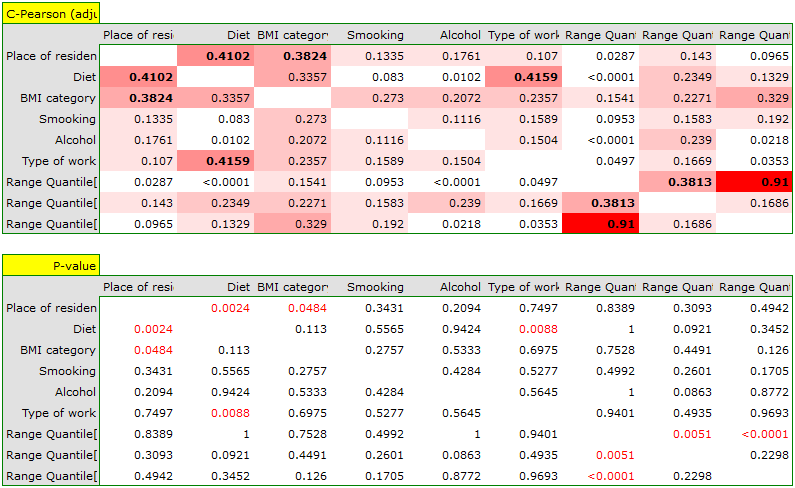
In the results we will show only the correlation matrix (without a plot), because a plot for so many variables would not be readable enough.